If you want to take Parent Taught Driver Education in Texas, there are two things you need to purchase: a state-approved PTDE course (like ours) and the TDLR Parent Taught Driver Education Program Guide Packet. This guide walks you through everything you need to know about the packet so your teen can get on the road.
What Is the PTDE Packet?
The PTDE Program Guide is an official document from the Texas Department of Licensing and Regulation (TDLR). It is required by state law for every student in a parent taught drivers ed course. The packet is a PDF delivered to your email after payment, and it contains:
- PTDE Program Guide — official instructions and a Texas traffic law overview that the parent instructor is expected to read
- Instructor Designation Form — designates who will serve as the parent instructor
- DL-91B Instruction Log — the 14-hour log for tracking instruction and observation hours
- 30-Hour Practice Log — for tracking supervised practice driving hours
- Receipt Number (452PT...) — your unique identifier, needed for course enrollment, certificates, and DPS visits
How Much Does the PTDE Packet Cost?
The packet costs $20 and can be paid by credit or debit card. This fee goes directly to the Texas Department of Licensing and Regulation — not to your course provider. It is separate from the cost of your PTDE course.
How to Order the PTDE Packet Online
The entire process takes about five minutes. You order directly from TDLR — not from your course provider.
- Go to the TDLR Parent Taught Driver Education page
- Click the link to purchase the Request for Parent Taught Driver Education Instructor Designation Service Application
- Fill in the student's name, date of birth, and parent instructor information — this must be a parent, step-parent, grandparent, foster parent, or legal guardian
- Pay the $20 fee by credit or debit card
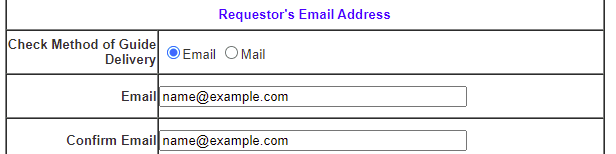
- Your packet PDF will be emailed to the address you entered. You will also see a download link on the confirmation page immediately after payment.
Where Is the Receipt Number on the PTDE Packet?
Your receipt number is a 14-character code that starts with 452PT (for example, 452PTXXXXXXXXXX). This number ties everything together in the PTDE process. You will need it to:
- Enroll in your online PTDE course
- Have your DE-964 certificates issued
- Present at DPS when getting your learner permit and provisional license
Where to Find It
Your receipt number appears in three places:
- On the confirmation page immediately after payment
- In the confirmation email from TDLR
- On the first page of the packet PDF itself
Your TDLR receipt number (452PT...) is not the same as any order number from your course provider. If a form asks for your “TDLR receipt number” or “452PT number,” this is the one.
What If You Don't Receive the Packet?
The packet email comes from [email protected]. If you don't see it within a few minutes:
- Check your spam/junk folder — this is where it ends up most often
- Check your trash folder — some email clients auto-delete unfamiliar senders
- Verify the email address you entered during checkout was correct
- Remember that the download link also appeared on the confirmation page right after payment — if you still have that tab open, use it
Check the Status of Your PTDE Packet
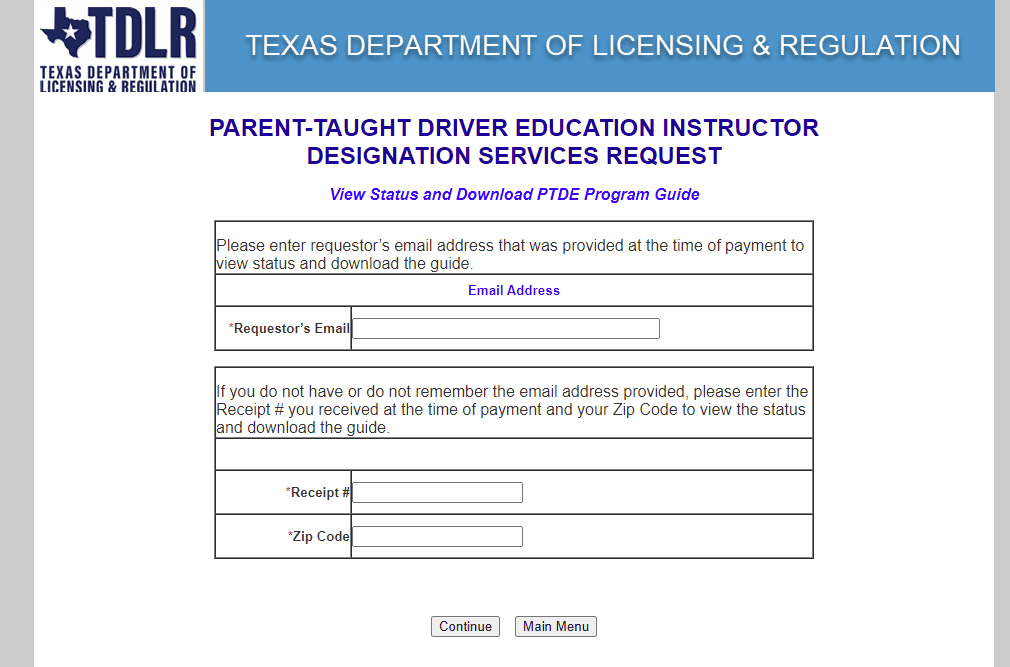
If you've ordered and are waiting for your packet, you can check the status at any time using TDLR's lookup tool. Search by your email address, or by receipt number and zip code.
Lost Your Packet? How to Get Another Copy
Don't worry. You can re-download your packet anytime using the same TDLR Packet Lookup tool. Enter the email address you used when you purchased it, or enter your receipt number and zip code, and you'll be able to download a fresh copy.
ParentTaught.com does not have access to your TDLR packet or receipt number — only TDLR can help you retrieve it.
Contact TDLR for Packet Support
Having an issue with your PTDE packet? Contact the Texas Department of Licensing and Regulation directly:
- Phone: (800) 803-9202
- Email: [email protected]
During periods of high demand (like summer), TDLR may take longer than usual to respond.
What to Do After Ordering the Packet
Once you have the packet and your 452PT receipt number, here's the roadmap:
- Enroll in a TDLR-approved course — ParentTaught.com offers a state-approved course for $60
- Complete the first 6 hours of classroom instruction (Lesson 1)
- Pass the in-course DPS knowledge exam (30 questions, 70% to pass)
- Get your learner permit at the DPS with your DE-964 Learner License Certificate
- Complete the remaining lessons and 44 hours of behind-the-wheel practice
- Get your provisional driver license at the DPS
For the full step-by-step breakdown, see our How It Works guide or the Ultimate Texas PTDE Checklist.
Ready to Start?
Order your TDLR packet, then enroll in our state-approved course. You can start the same day.